白皮书下载
实在智能Agent产品白皮书 V.7.3.4.pdf
Commander allocates factory & BOT authorization boot
发刊日期:
2021/10/15
编辑团队:
实在学院
When you log in to IPA software and encounter & ldquo; Unassigned permissions & rdquo; When prompted:
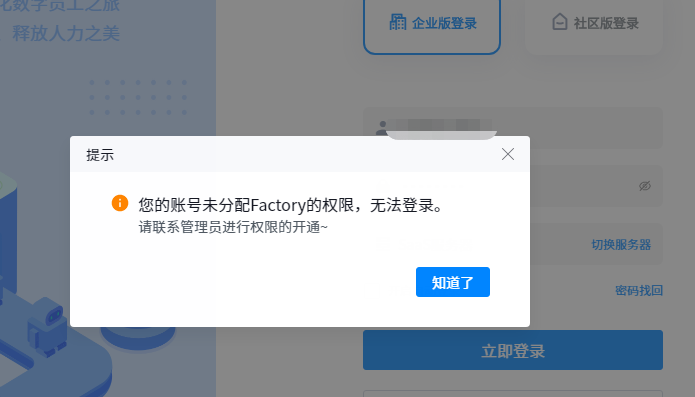
1、 Log in to the z-commander corresponding to the account and click z-commander - user management - organization structure - add personnel:
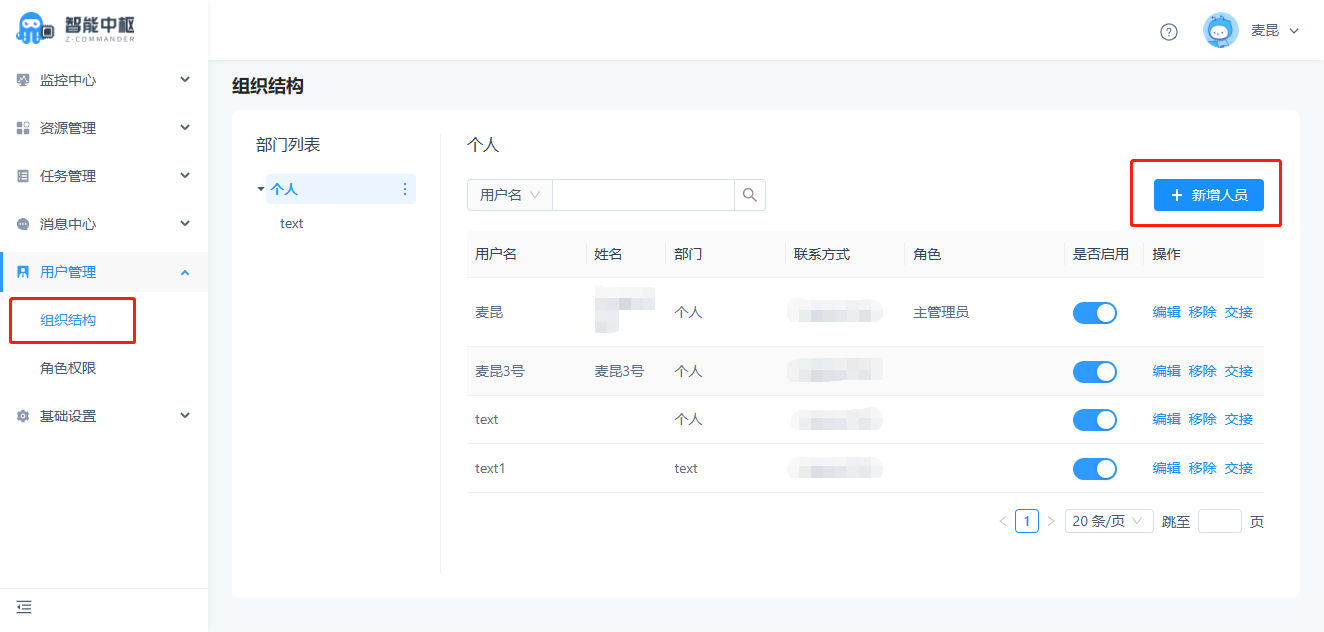
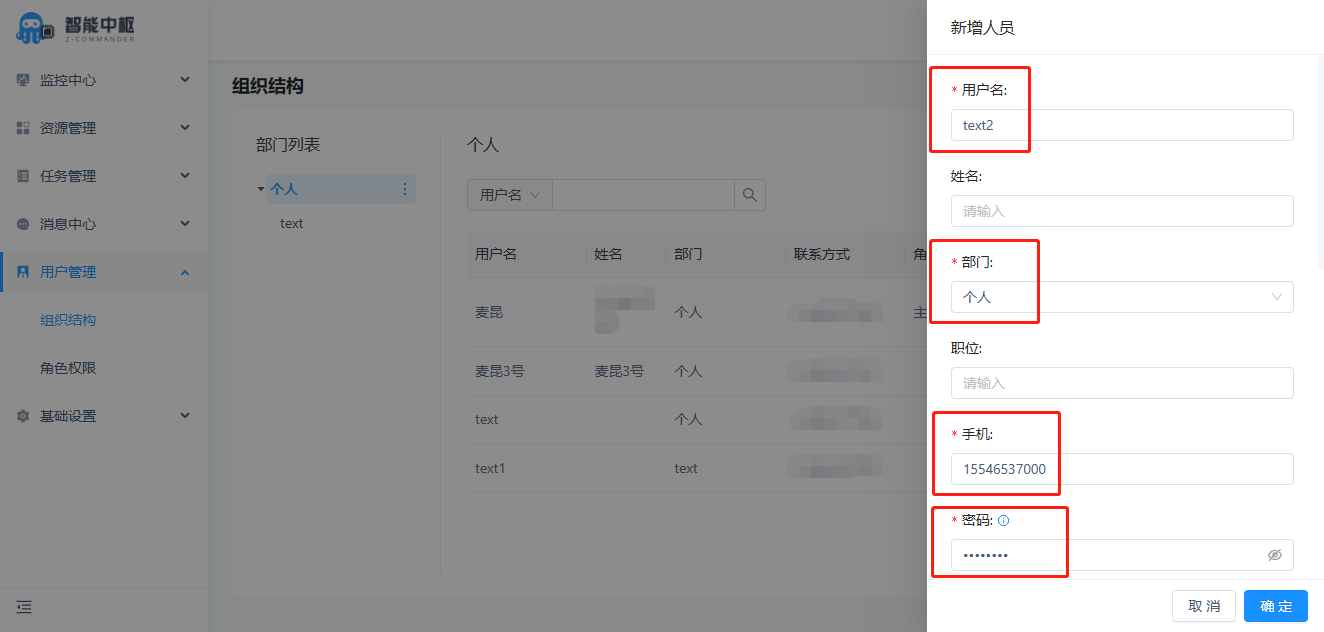
User name, Department, mobile phone and password are required
After entering, click OK to finish adding personnel
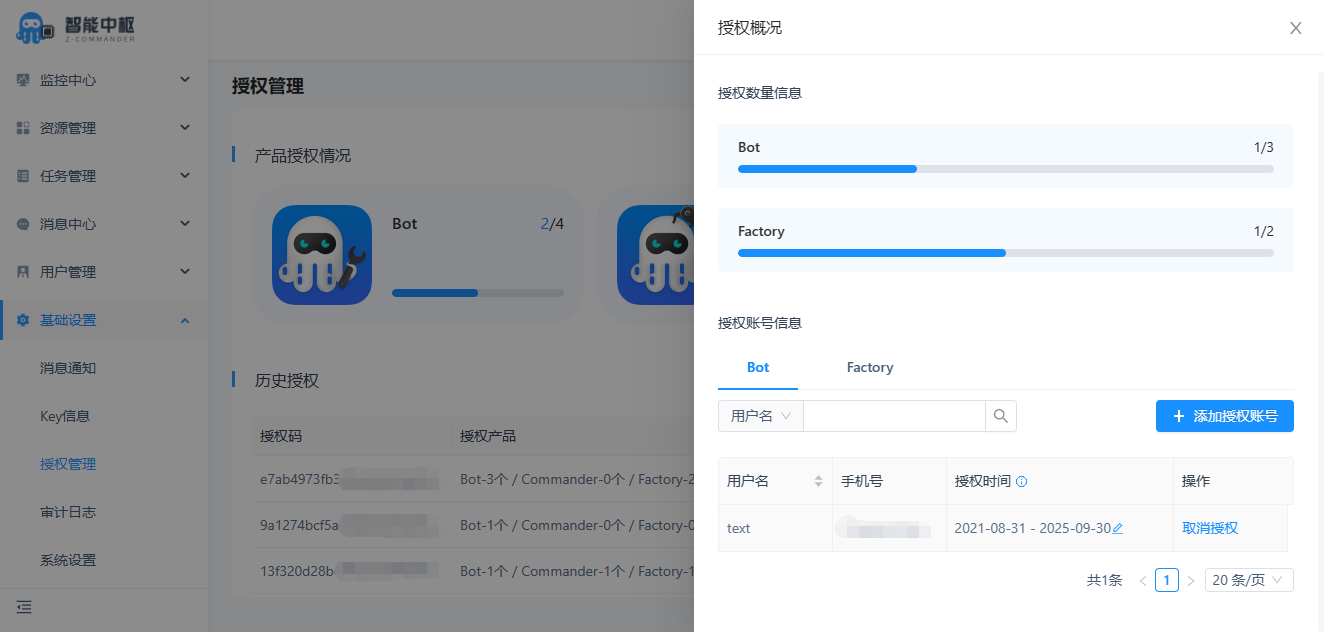
2、 Click basic settings - authorization management - authorization overview after adding personnel successfully:
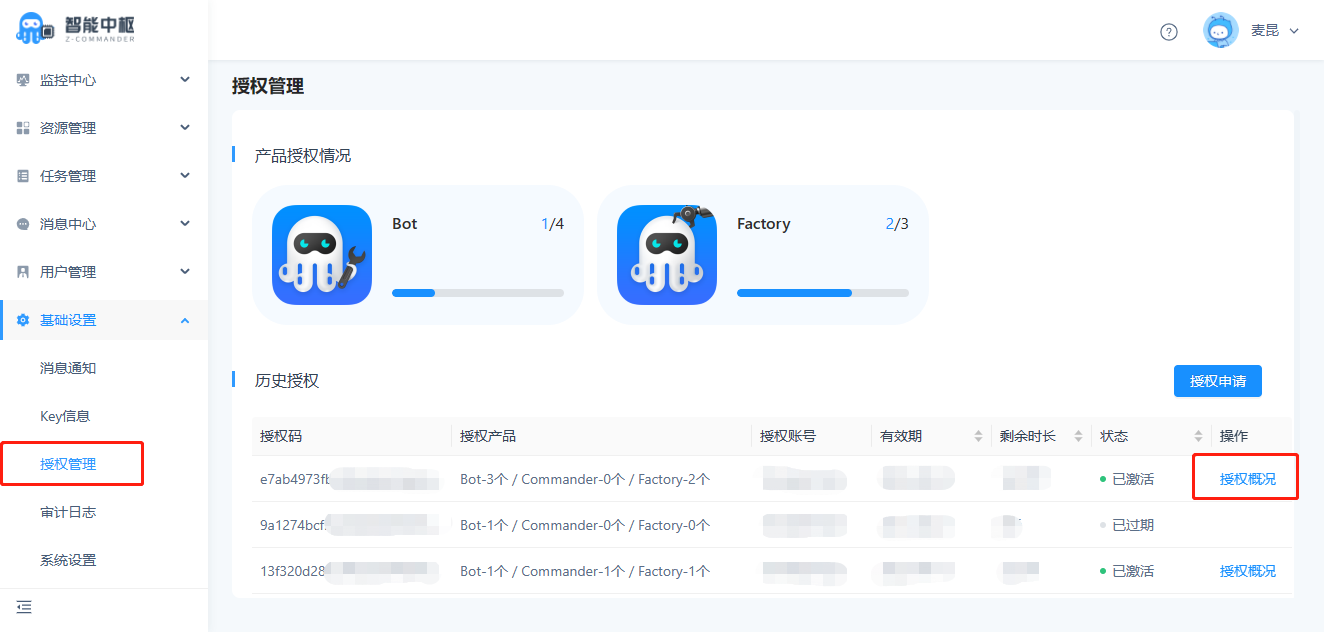
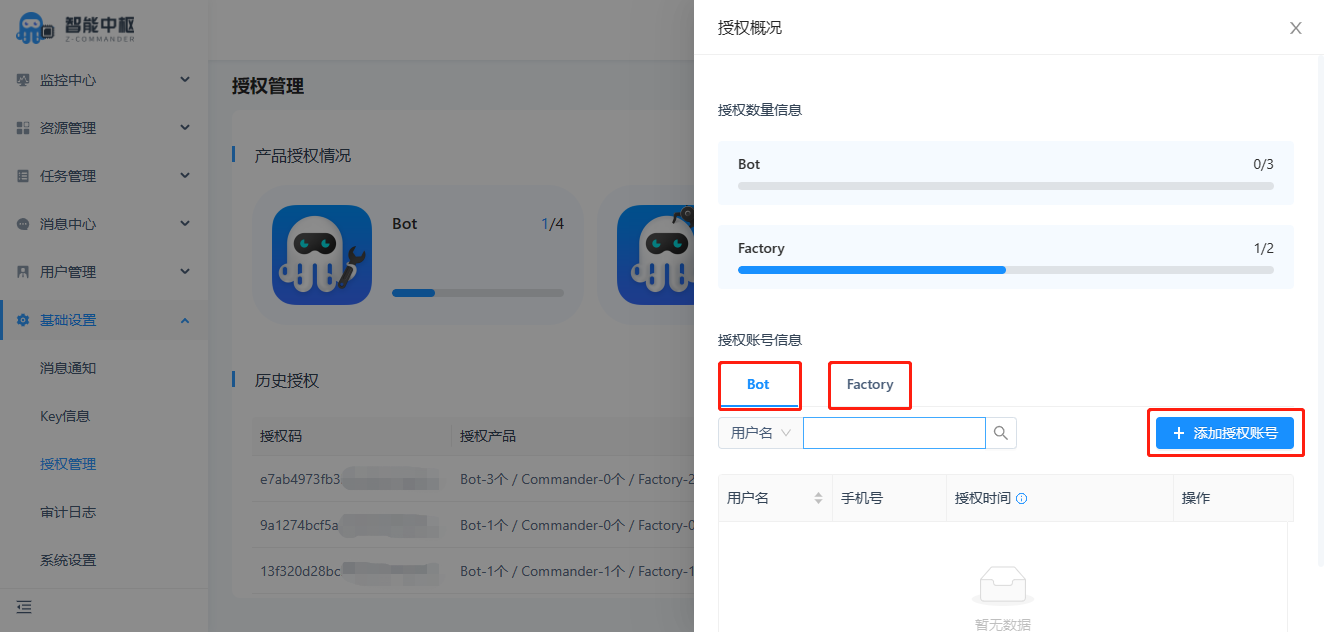
Select the corresponding IPA software to be authorized and click the add authorized account button
Select the account to be authorized and click OK
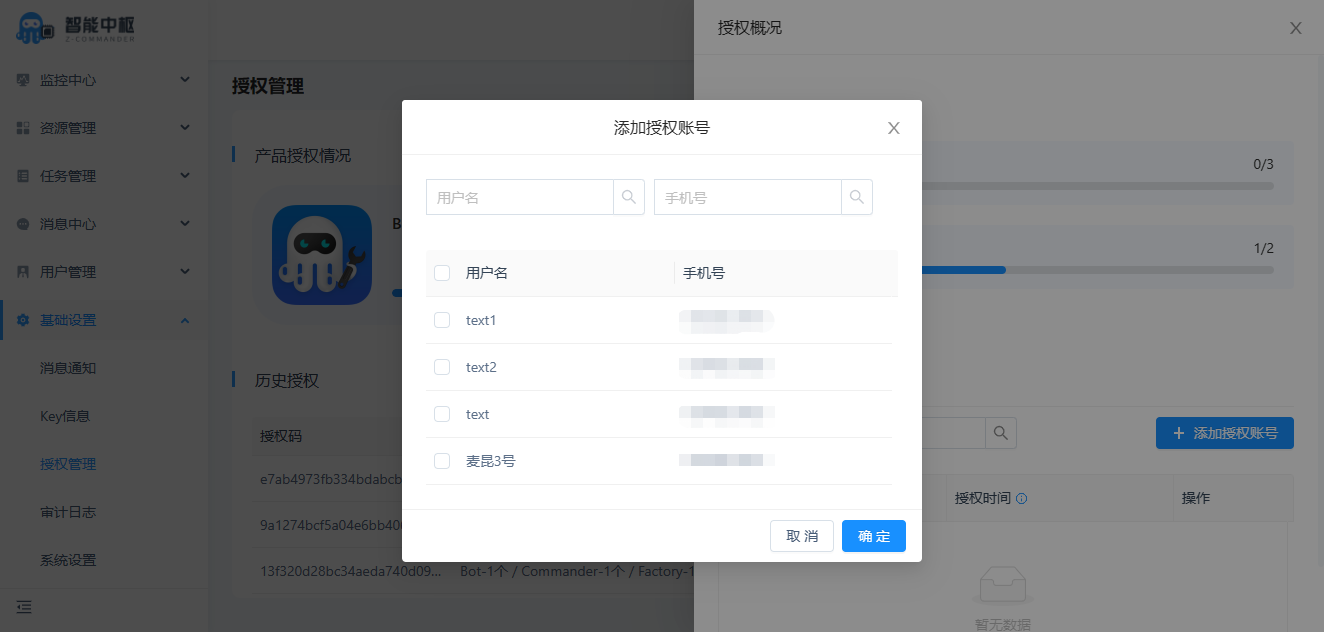
The account has been authorized successfully. You can log in to the corresponding IPA software and use the account